


There is no official Chicken Road app. Not in Google Play, not in the App Store, not as an APK file from InOut Games, and not from any legitimate source. The game is a browser-based HTML5 product distributed exclusively through online casinos — no download, no installation, no standalone application of any kind.
This does not mean Chicken Road cannot be played on a phone. It can — on every smartphone released in the past five years, on both Android and iOS, through two access methods that work without downloading anything:
- The mobile browser. Open Chrome, Safari, or Firefox, navigate to a casino that carries Chicken Road, and play. The game loads in the browser with the same mechanics, the same RTP of up to 98%, the same four difficulty levels, and the same Provably Fair verification as the desktop version. No app required.
- A casino’s native app. Some casinos that offer Chicken Road distribute their own apps — either through official app stores or as APK downloads from their websites. Chicken Road is playable within these casino apps alongside the rest of the casino’s game catalogue. The app belongs to the casino, not to the game.
Both methods deliver the identical InOut Games product. The difference is the shell around it — a browser tab or a casino app — not the game itself.
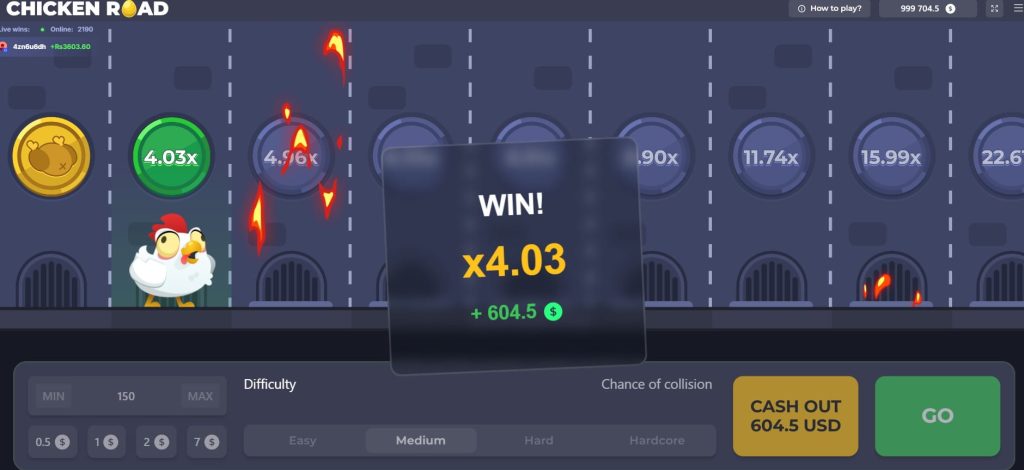
Chicken Road Android
Chicken Road is fully playable on any Android device through the mobile browser or through a casino’s native Android app. Both methods deliver the same InOut Games product — same RTP, same difficulty levels, same Provably Fair system. The choice between them depends on whether the player prefers browser-based access with zero installation or an app-based experience with the additional features that native apps provide.
How to play via mobile browser

- Open Chrome, Firefox, or any Chromium-based browser on the Android device
- Navigate to a casino that carries Chicken Road — or to the demo on this page
- Log in to the casino account (not required for demo play)
- Find Chicken Road in the crash games or instant games section — the search function works by game name or developer
- Tap to load — the game opens in the browser with all features active
- To create a home screen shortcut: tap the three-dot menu in Chrome → “Add to Home screen” → confirm. The icon appears on the home screen and opens the game directly with one tap — visually identical to an app, functionally identical to the browser
How to play via casino app
- Check whether the casino that carries Chicken Road offers an Android app — many offshore casinos distribute APK files from their own websites since Google Play restricts real-money gambling apps in most markets
- Download the APK from the casino’s official website — not from a third-party download portal
- Enable “Install unknown apps” in the Android settings for the browser used to download the file
- Install the APK and open the casino app
- Log in with the existing casino account credentials
- Find Chicken Road in the app’s game catalogue and play
The casino Chicken Road app adds features that the browser does not offer — push notifications for promotions, biometric login (fingerprint or face unlock), and marginally faster interface response due to locally cached elements. The game itself is identical in both methods.
System requirements
| Component | Minimum | Recommended |
|---|---|---|
| Android version | 7.0 (Nougat) or higher | 10.0 or higher |
| RAM | 2 GB | 3 GB or more |
| Browser | Chrome 80+, Firefox 78+, or any Chromium-based browser | Latest version of Chrome |
| Internet connection | 3G (playable but slower loading) | 4G/LTE or Wi-Fi |
| Storage (browser) | No storage required — runs in browser | N/A |
| Storage (casino app) | 50–150 MB depending on the casino app | 200 MB free recommended |
| Screen size | 4.7 inches minimum | 5.5 inches or larger |
| Processor | Quad-core 1.4 GHz | Octa-core 2.0 GHz or higher |
The requirements are modest by 2026 standards — any Android device purchased since 2019 meets the recommended specifications comfortably. The game is lightweight by design: no heavy 3D rendering, no continuous video stream, no large asset downloads between rounds. A device that handles basic web browsing and social media handles Chicken Road without compromise.
Chicken Road on iOS
Chicken Road is fully playable on iPhone and iPad through Safari or any iOS browser, and through casino apps available in the App Store or installed via alternative distribution methods. The experience is identical to Android — same InOut Games product, same mechanics, same RTP, same Provably Fair system. The differences are platform-specific: Safari instead of Chrome as the default browser, a different home screen shortcut process, and a more restricted app ecosystem where casino apps face stricter App Store policies than on Android.
How to play via mobile browser

- Open Safari, Chrome, or Firefox on the iPhone or iPad
- Navigate to a casino that carries Chicken Road — or to the demo on this page
- Log in to the casino account (not required for demo play)
- Find Chicken Road in the crash games or instant games section
- Tap to load — the game opens in the browser with all features active
- To create a home screen shortcut: tap the share icon (square with upward arrow) in Safari → “Add to Home Screen” → confirm. The icon appears on the home screen and opens the game directly with one tap
A note on iOS browsers: all browsers on iOS — Chrome, Firefox, Brave, Edge — use Apple’s WebKit rendering engine underneath, regardless of their branding. This means the game performs identically across all iOS browsers because the underlying engine is the same. Safari is the most optimised choice since it runs natively on WebKit without an additional layer.
How to play via casino app
- Check whether the casino that carries Chicken Road offers an iOS app in the App Store — availability is more limited than on Android because Apple’s policies restrict real-money gambling apps to operators with valid gambling licences in the player’s jurisdiction
- If available in the App Store: download, install, log in with existing casino credentials, find Chicken Road in the catalogue, and play
- If not available in the App Store: some casinos offer Progressive Web App (PWA) installations that function similarly to native apps — the casino’s website will prompt “Add to Home Screen” with enhanced features beyond a basic bookmark. Others may offer TestFlight beta access or alternative distribution methods described on their website
- Log in with the existing casino account credentials — the same account works across browser and app
- Find Chicken Road in the app’s game catalogue and play
Casino app availability on iOS is more restricted than on Android for a structural reason: Apple requires gambling app developers to hold valid licences in each jurisdiction where the app is offered. Many offshore casinos accessible from unregulated markets cannot meet this requirement, which means their iOS apps either do not exist or are limited to specific countries. The browser remains the universal access method that works regardless of the casino’s App Store status.
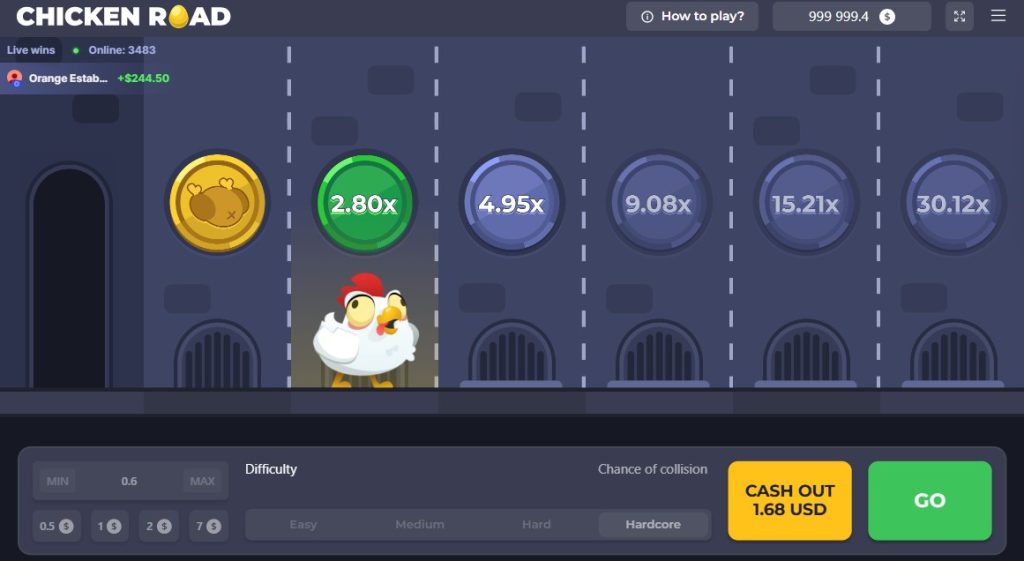
The home screen shortcut — the iOS alternative to a Chicken Road app
For iOS users, the home screen shortcut deserves specific emphasis because it is the closest equivalent to a native app experience available when the casino does not have an App Store listing. The shortcut created through Safari’s “Add to Home Screen”:
- Opens in a standalone window without Safari’s address bar and navigation controls — visually indistinguishable from a native app
- Loads the casino directly without typing a URL or opening Safari first
- Maintains login sessions between uses (subject to iOS cookie policies)
- Takes zero storage beyond the icon itself
- Receives no push notifications and does not support biometric login — the two features that only native apps can provide on iOS
For players whose casino of choice does not have an iOS app, the Safari shortcut is the recommended setup. It eliminates the friction of manual URL entry on every session while providing the fullscreen app-like experience that a standard browser tab does not.
System requirements
| Component | Minimum | Recommended |
|---|---|---|
| iOS version | 14.0 or higher | 16.0 or higher |
| Device | iPhone 8 / iPad (6th gen) or newer | iPhone 12 or newer / iPad (9th gen) or newer |
| RAM | 2 GB | 3 GB or more |
| Browser | Safari 14+, Chrome iOS, Firefox iOS | Latest version of Safari |
| Internet connection | 3G (playable but slower loading) | 4G/LTE or Wi-Fi |
| Storage | No storage required — runs in browser | N/A (casino app: 100–200 MB) |
| Screen size | 4.7 inches minimum (iPhone 8) | 5.8 inches or larger |
| Processor | A11 Bionic or newer | A14 Bionic or newer |
Any iPhone from the iPhone 8 onward and any iPad from the 6th generation onward meets the minimum requirements comfortably. The game’s HTML5 architecture is light enough that even older devices at the minimum specification run it without lag, frame drops, or overheating. The A11 Bionic chip (2017) handles Chicken Road with the same ease it handles basic web browsing — because from a processing perspective, Chicken Road is basic web browsing with interactive elements.
One iOS-specific detail worth noting
iOS manages browser storage more aggressively than Android — Safari can clear cached data and cookies automatically after periods of inactivity (typically seven days without visiting the site). This means a player who visits a casino through Safari, logs in, plays Chicken Road, and then does not return for two weeks may find the session expired and the login required again — even with the home screen shortcut. This is an iOS platform behaviour, not a Chicken Road or casino-specific issue. It affects all browser-based casino access on iPhone and iPad. The practical impact is minor — re-entering email and password takes seconds — but it explains why iOS players experience more frequent login prompts than Android players using the same casino.
Fake Apps and APKs — What to Avoid
Searching for “Chicken Road app” or “Chicken Road APK” produces results that have nothing to do with InOut Games. The files, links, and advertisements that appear fall into three categories — all of them problematic, none of them the real game.
Celebrity endorsement scams
Advertisements on Instagram, TikTok, and YouTube show Cristiano Ronaldo, MrBeast, or other public figures endorsing a Chicken Road app with claims of guaranteed earnings — “download now and start making money,” “I earn $5,000 per day with this app.” The facts:
- No celebrity has any relationship with Chicken Road or with InOut Games
- The images and videos are manipulated — deepfakes, out-of-context clips, or digitally fabricated endorsements
- The “apps” these advertisements link to are not the real InOut Games product
- The platforms behind these downloads accept deposits and do not process withdrawals
Third-party APK files
Websites presenting themselves as download portals offer APK files named “ChickenRoad_Official.apk,” “ChickenRoad_v3.1.apk,” or similar. InOut Games does not distribute APK files because Chicken Road is not an app. The risks of installing these files are concrete:
- Malware. APK files from unknown sources can install software that accesses personal data, captures banking credentials, or runs surveillance in the background without visible indicators
- Fake interfaces. Some downloads open an interface that resembles Chicken Road but is not connected to the real InOut Games software. Results are manipulated to show frequent wins in early rounds — the objective is building enough trust that the player deposits money on a fraudulent platform
- Data harvesting. Other variants request name, email, phone number, and credit card details during a fake “registration process” that has no connection to any legitimate casino
The rule without exceptions
If it requires a download, it is not the real Chicken Road. If it promises guaranteed winnings, it is not the real Chicken Road. If a celebrity is promoting it, it is not the real Chicken Road. The genuine InOut Games product runs in a browser, within a licensed casino, with Provably Fair verification on every round. Everything else using the Chicken Road name as a downloadable application is either fraudulent, unauthorised, or both.
Browser vs. Casino App — Which Method to Choose
The game is identical regardless of how it is accessed — the same InOut Games software, the same RTP of up to 98%, the same four difficulty levels, the same Provably Fair verification, the same cash out mechanic. What differs between browser and casino app is everything around the game: how the session starts, what happens between sessions, and how much friction exists in the daily routine of opening the game and playing.
| Aspect | Mobile Browser | Casino App |
|---|---|---|
| Download required | No — navigate and play | Yes — APK from casino website (Android) or App Store (iOS) |
| Storage used | None | 50–200 MB depending on the casino |
| Chicken Road experience | Identical — same InOut Games product | Identical — same InOut Games product |
| Push notifications | No — must check promotions manually | Yes — bonus alerts, free spin offers, cashback reminders |
| Biometric login | No — email and password every session | Yes — fingerprint or Face ID after first login |
| Interface speed | Standard browser rendering | Marginally faster — locally cached elements |
| Home screen shortcut | Available — looks and opens like an app | Built in — the app is on the home screen by default |
| Updates | None needed — the browser always loads the current version | Android APK: manual updates from casino website. iOS App Store: automatic |
| Availability | Universal — works at every casino on every device | Varies — not all casinos offer apps, iOS availability is more restricted |
| Multi-casino flexibility | Easy — open any casino in any tab | Locked to one casino per app |
| Security risk | Standard browsing — no additional exposure | APK downloads from casino websites require enabling unknown sources (Android) |
| Login persistence (iOS) | Safari may clear sessions after 7 days of inactivity | Maintained by the app independently of browser policies |
| Best for | Occasional players, players who use multiple casinos, iOS users without an App Store app available | Regular players at one casino who value notifications, biometrics, and faster access |
Which one should you choose?
For players who open Chicken Road game app once or twice a week at whichever casino has the best current promotion, the browser is the more practical choice. No installation, no storage, no updates, no commitment to a single platform. Open a tab, play, close the tab. The game loads in seconds and the session leaves no footprint on the device beyond standard browser history.
For players who play at one casino regularly — daily sessions, active bonus clearing, or VIP programme engagement — the casino app delivers conveniences that accumulate into a meaningfully different experience over time. Biometric login saves 15–20 seconds per session. Push notifications surface promotions that would otherwise require manually checking the casino’s website. Cached interface elements make navigation between the game lobby and the cashier marginally faster. None of these individually justify the app installation. Collectively, over weeks and months of daily use, they reduce the friction between deciding to play and actually playing.
The deciding factor is frequency. Weekly players benefit more from the browser’s zero-commitment flexibility. Daily players benefit more from the app’s accumulated conveniences. The game waiting behind either access method is the same — the choice is about the door, not the room behind it.
Frequently Asked Questions
Is there an official Chicken Road app?
No. Chicken Road is developed by InOut Games as a browser-based HTML5 product distributed exclusively through online casinos. There is no official app in Google Play, the App Store, or as an APK file from InOut Games. Any file presenting itself as a Chicken Road app does not come from the developer and should not be installed. The game is playable on every smartphone through the mobile browser or through a casino’s own native app.
Can I play Chicken Road on my phone?
Yes — on both Android and iOS through two methods. The mobile browser (Chrome, Safari, Firefox) loads the game directly without any download. Alternatively, some casinos offer their own native apps (APK on Android, App Store on iOS) where Chicken Road is playable alongside the casino’s full game catalogue. Both methods deliver the identical InOut Games product with the same RTP, difficulty levels, and Provably Fair verification.
Are the Chicken Road APK files online legitimate?
No. InOut Games does not distribute APK files because Chicken Road is not an app. APK files found through search results or advertised on social media come from unknown sources and carry concrete risks — malware, fake interfaces designed to collect deposits on fraudulent platforms, and data harvesting through fake registration processes. Casino APK files from the casino’s own official website are a different matter — those belong to the casino, not to the game, and are legitimate if the casino itself is licensed.
What is better — browser or casino app?
The game is identical in both. The browser offers zero-installation convenience, universal compatibility, and flexibility to play at multiple casinos without commitment. The casino app offers push notifications, biometric login, and marginally faster interface response. Weekly players benefit more from the browser. Daily players at a single casino benefit more from the app. The choice affects the access experience, not the game itself.
What are the system requirements for Chicken Road on Android?
Android 7.0 or higher, 2 GB RAM minimum (3 GB recommended), Chrome 80+ or any Chromium-based browser, and a stable internet connection (4G/LTE or Wi-Fi recommended). Any Android device purchased since 2019 meets these requirements comfortably. The game is lightweight — no heavy rendering, no video streaming, no large downloads between rounds.
What are the system requirements for Chicken Road on iOS?
iOS 14.0 or higher, iPhone 8 or newer (iPad 6th generation or newer), Safari 14+ or any iOS browser, and a stable internet connection. Any iPhone from the iPhone 8 onward runs Chicken Road without lag or performance issues. All iOS browsers use Apple’s WebKit engine, so performance is identical across Safari, Chrome, and Firefox on iOS.